How to Get Paid in USDC as a Freelancer
To get paid in USDC as a freelancer you need four things: a wallet that can receive USDC on the right network, a clear payment request for your client, a way to confirm the money arrived, and a plan for how you will record it for taxes. Everything else is detail.
This guide walks through each one, including the mistakes that actually cost freelancers money.
Why freelancers ask for USDC in the first place
USDC is a stablecoin designed to track the US dollar, so an invoice for 250 USDC is meant to stay worth about 250 US dollars, unlike SOL or Bitcoin, whose price moves.
For freelancers, the appeal is usually practical rather than ideological:
Clients in other countries. Cross-border bank transfers can involve intermediary banks, fees and waiting days. A USDC transfer between two wallets is usually confirmed within seconds to minutes.
No account dependency. You receive funds to a wallet you control rather than waiting on a payment processor to release them.
A dollar-denominated price. You can quote in dollars and be paid in dollars, without watching a crypto chart.
It is not the right fit for every client. Many clients will never touch crypto, and that is fine. The goal is to offer USDC as an option for the clients who want it, not to replace everything you already use.
Step 1: Choose a wallet and the right network
USDC exists on several blockchains. The same "USDC" in your wallet on one network cannot simply be received on another, so you must agree on the network with your client before they send anything.
For this guide we use USDC on Solana, because transfers are fast and network fees are usually a small fraction of a cent.
What you need:
A wallet that supports Solana (Phantom, Solflare and Backpack are common choices).
Your receiving address, the public string of letters and numbers you share so people can pay you.
Your recovery phrase stored offline. Never share it, and never type it into a website. A real client never needs it.
Do a tiny test first. Ask a friend, or send yourself a small amount from another wallet, and confirm it shows up before your first real invoice.
Step 2: Tell your client exactly what to send
Most payment mix-ups come from vague instructions. "Send me USDC" leaves three questions open: which network, which address, how much.
A good payment request states:
Item | Example |
|---|---|
What it is for | Logo design, final files |
Amount | 250 USDC |
Network | Solana |
Receiving address | Your wallet address |
You can paste this in an email, but copying a long address by hand is where typos happen. Sending the address as a QR code or a link reduces that risk.
Step 3: Use a payment link instead of a pasted address
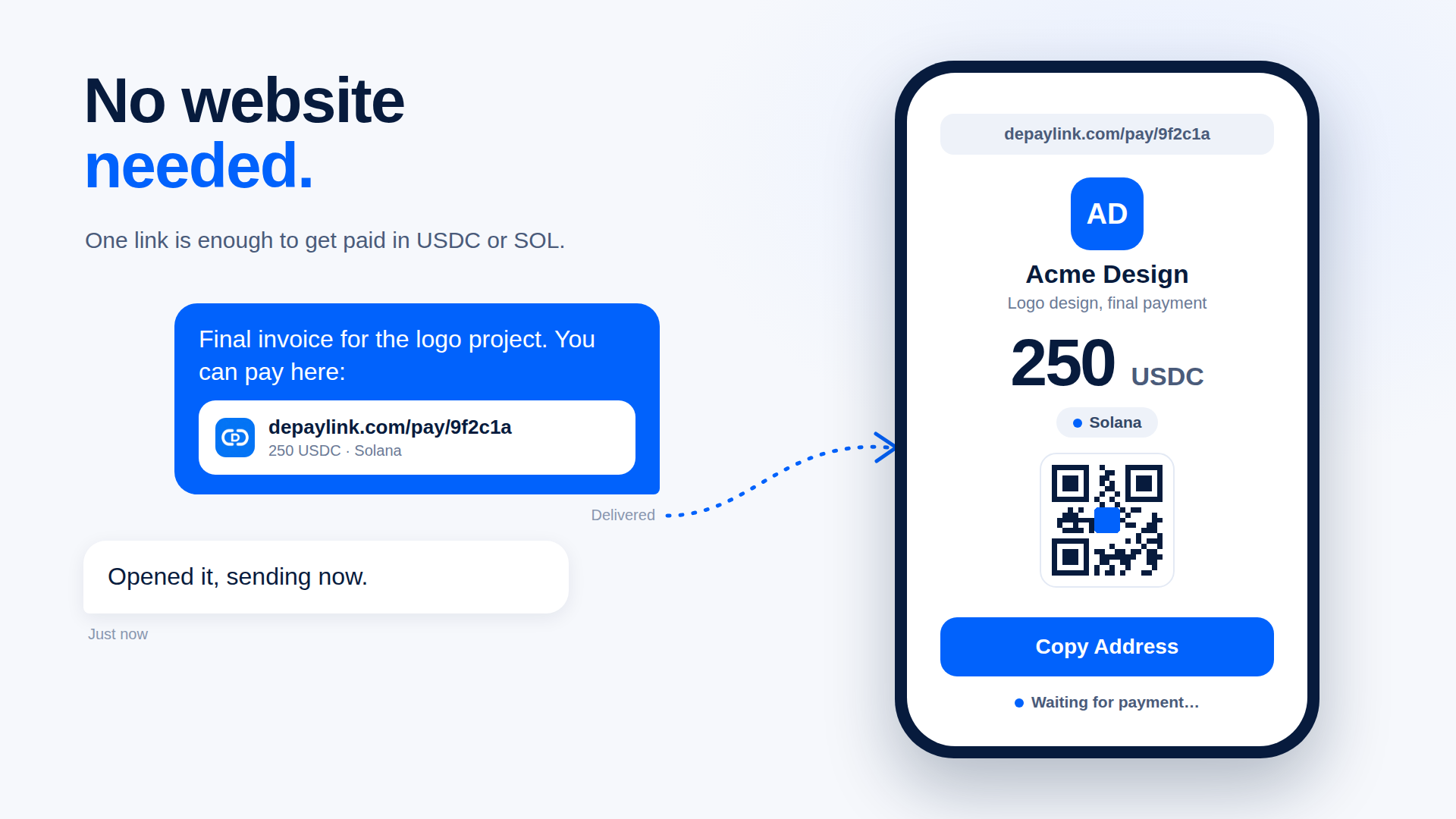
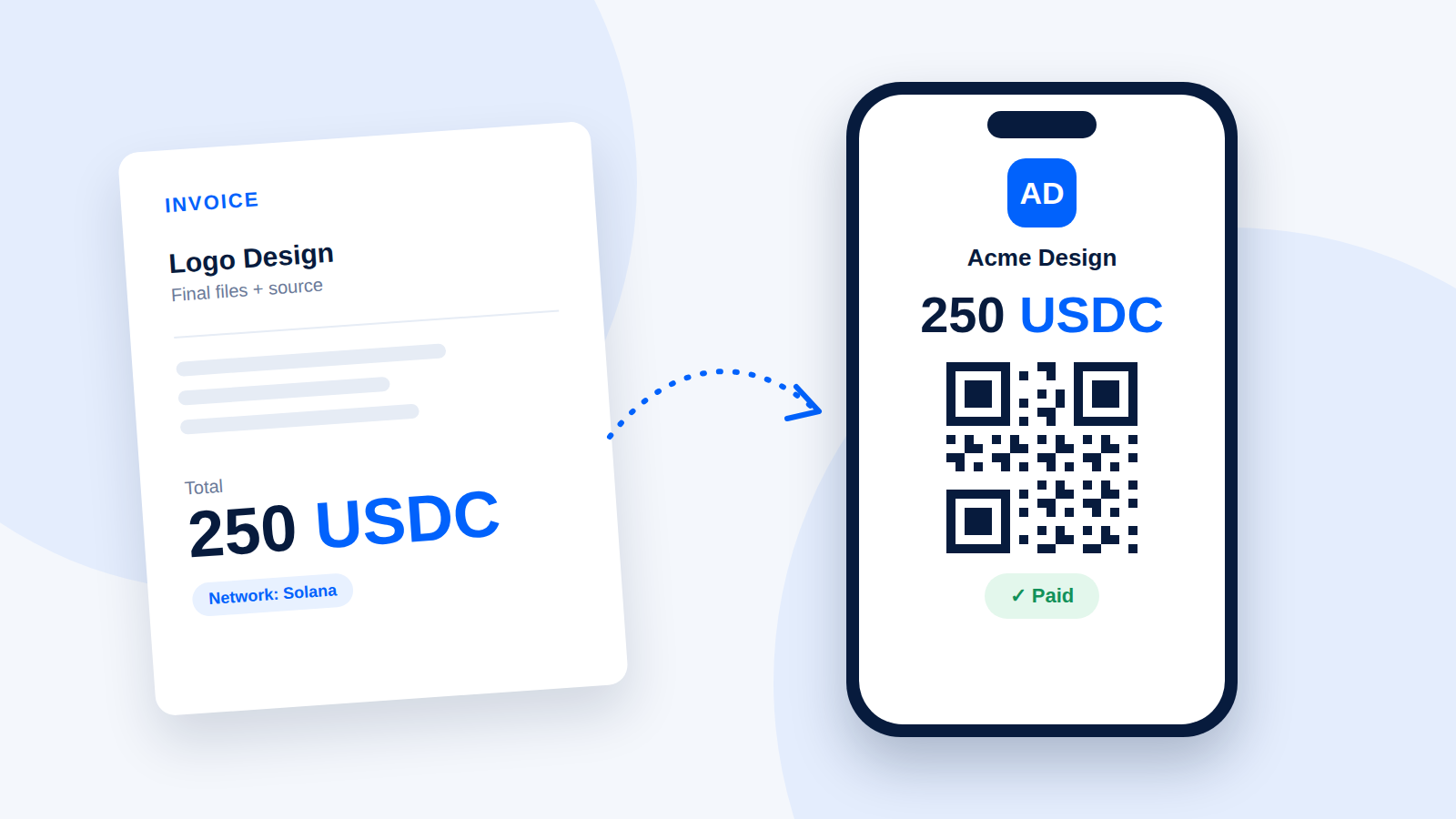
A payment link packages the amount, the asset and your receiving wallet into one page you can send in a message, email or invoice. Your client opens it, sees what they owe and who it is for, and pays by scanning a QR code or copying the address into their Solana wallet.
With depaylink, the flow looks like this:
Enter what you are charging for (for example "Logo Design").
Enter the amount and choose USDC or SOL.
Paste your receiving wallet address.
Create the link and send it to your client.
The payment goes to the wallet address you entered, and the payment page shows a waiting state until the transfer is detected. You do not have to build a checkout or integrate anything. You can also add your name or business name and a short thank-you message so the page looks like it came from you.
This is one way to do it. If you prefer, pasting your address plus the table above works too. A link mainly saves you from address typos and from answering "how much, and where?" in every thread.
Step 4: Confirm the payment before you deliver
Do not rely on a screenshot from the client. A screenshot is not proof of payment.
Check one of these instead:
Your wallet balance and recent activity.
The transaction on a Solana block explorer, matching the amount, the USDC token and your address.
The payment status on your payment link, if you used one.
For large projects, consider a deposit upfront (many freelancers ask for 30 to 50 percent) and release the final files when the balance arrives.
Mistakes freelancers make with USDC
Wrong network. If a client sends USDC on a network you did not agree on, recovery can be difficult or impossible. State the network in every invoice.
Wrong token. SOL and USDC are different assets. If you quote 250 USDC, 250 SOL is a very different amount.
Pasting an address from memory. Always copy it from the wallet, and verify the first and last characters.
Forgetting about records. Every payment is a taxable income event in many countries. Save the date, amount, client and transaction ID as you go, so you are not reconstructing it in tax season.
What about taxes?
Rules differ by country, and sometimes by how you are registered as a freelancer. In many jurisdictions, income received in crypto is treated like other income, valued at the fiscal-currency value on the day you received it. A stablecoin makes that value easier to track, but it does not remove the reporting requirement.
This is general information, not tax advice. Check your local rules or ask an accountant who understands crypto before your first invoice.
Turning USDC into local currency
Many freelancers hold some USDC and convert the rest as needed. You usually do this through an exchange or an off-ramp service available in your country. Fees, limits and availability vary, so check current terms before depending on one for rent day.
A simple checklist
Wallet set up and recovery phrase stored offline
Test transfer received
Network and token stated on every invoice
Payment link or QR code sent instead of a hand-copied address
Payment confirmed on-chain before delivering
Record saved for each payment
7. FAQ
Do my clients need to know anything about crypto? They need a wallet with USDC on the network you chose. If they do not have one, offer your usual payment method instead.
Is USDC always worth exactly one dollar? It is designed to track the dollar, and has done so closely in normal conditions, but it is not guaranteed. Check the issuer's current reserve information if you plan to hold a large balance.
What if the client sends the wrong amount? Ask them to send the difference, or agree on how to handle an overpayment. Do not deliver the final work until the full amount is confirmed.
Can I accept both SOL and USDC? Yes, but quote one asset per invoice. If you accept SOL, remember its dollar value moves between quoting and payment.
Do I need a website? No. A payment link works in an email, a chat or a PDF invoice.