How to Create a Crypto Payment Link (Step by Step)
A crypto payment link is a URL that opens a ready-made payment request: what the customer owes, in which asset, and which wallet receives it. To create one, you need a wallet address you control, an amount, a choice of asset, and a tool that packages those three things into a link.
Once your wallet is ready, the whole process takes a couple of minutes. This guide uses SOL and USDC on Solana as the example, and walks through each step, including the parts people usually get wrong.
**What you need before you start
** Gather these four things first:
A receiving wallet address. This is the public address where funds will land. You never need to share your seed phrase or private key to create a payment link. If any tool asks for it, stop. An amount. Decide the price in advance, ideally a fixed amount. An asset. For example USDC or SOL on Solana (more on choosing below). A description. A short line saying what the payment is for, such as "Logo design, final invoice".
Step 1: Choose the asset: USDC or SOL
This decision affects how predictable your invoice is.
USDC SOL What it is A stablecoin designed to track the US dollar The native token of the Solana network Price relative to USD Designed to stay at about $1 Moves with the market Best for Invoices, services, fixed prices Customers who prefer to pay in SOL, or businesses that want SOL Watch out for Make sure the payment is on Solana, not another network The USD value of your invoice can change between sending the link and getting paid
If you price in dollars, USDC is usually the simpler choice, because "250" means about $250 when you send the link and when you're paid. If you price in SOL, the amount is fixed in SOL but its dollar value is not.
Step 2: Check your receiving wallet
Use a wallet you control and can access. Then:
Copy the address directly from your wallet app instead of typing it. Compare the first and last few characters after pasting. For a large first payment, consider asking for a small test payment first.
Solana addresses are long strings of letters and numbers. A single wrong character means the funds go somewhere else, and blockchain transfers can't be reversed by a support team.
Step 3: Set the price and description
Be specific. "Website design, milestone 2" is better than "payment". A clear description helps your customer recognise the request, and helps you match payments to projects later.
Prefer a fixed amount over an open-ended one. When the amount is built into the link, your customer doesn't need to calculate anything or guess.
Step 4: Generate the link
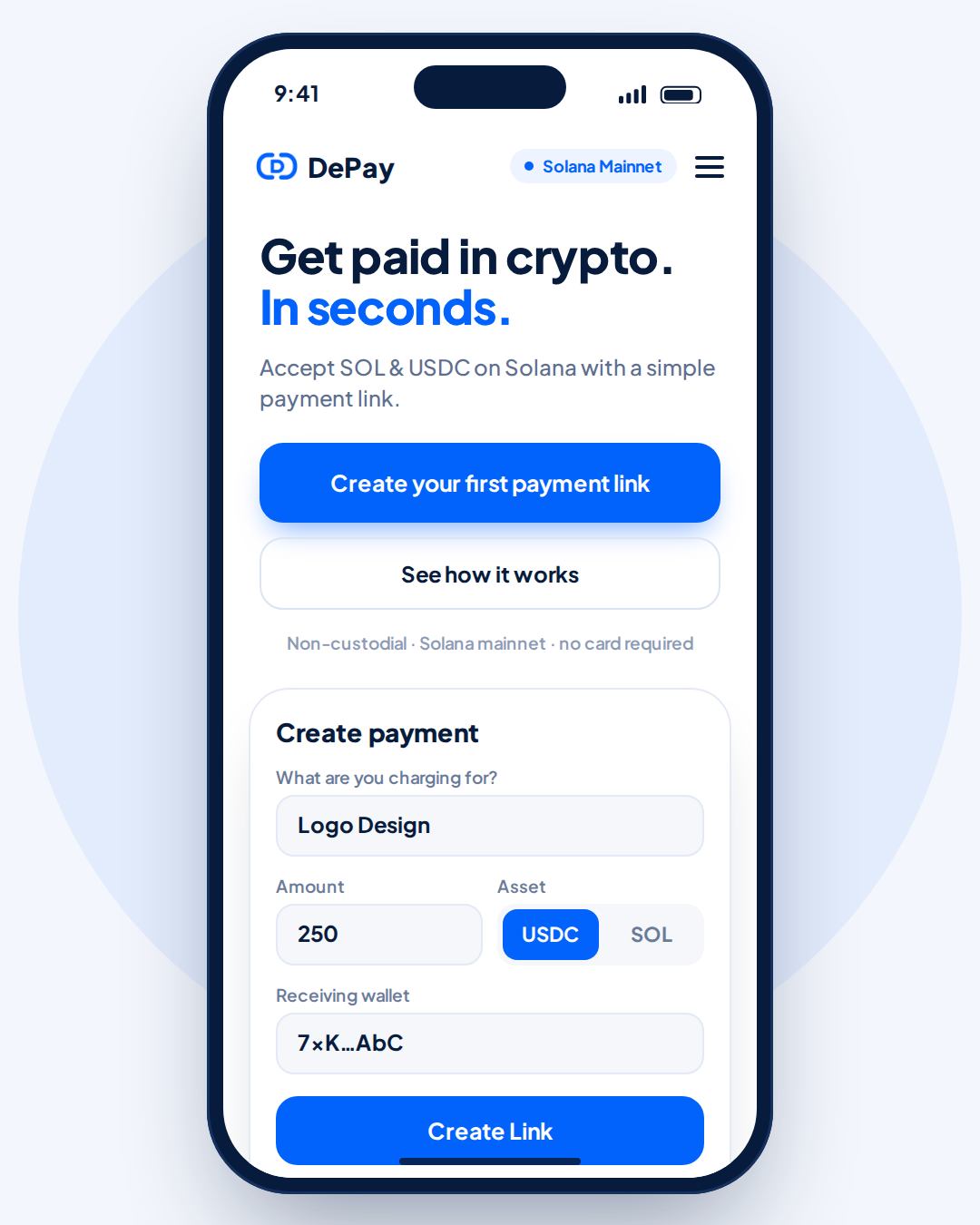
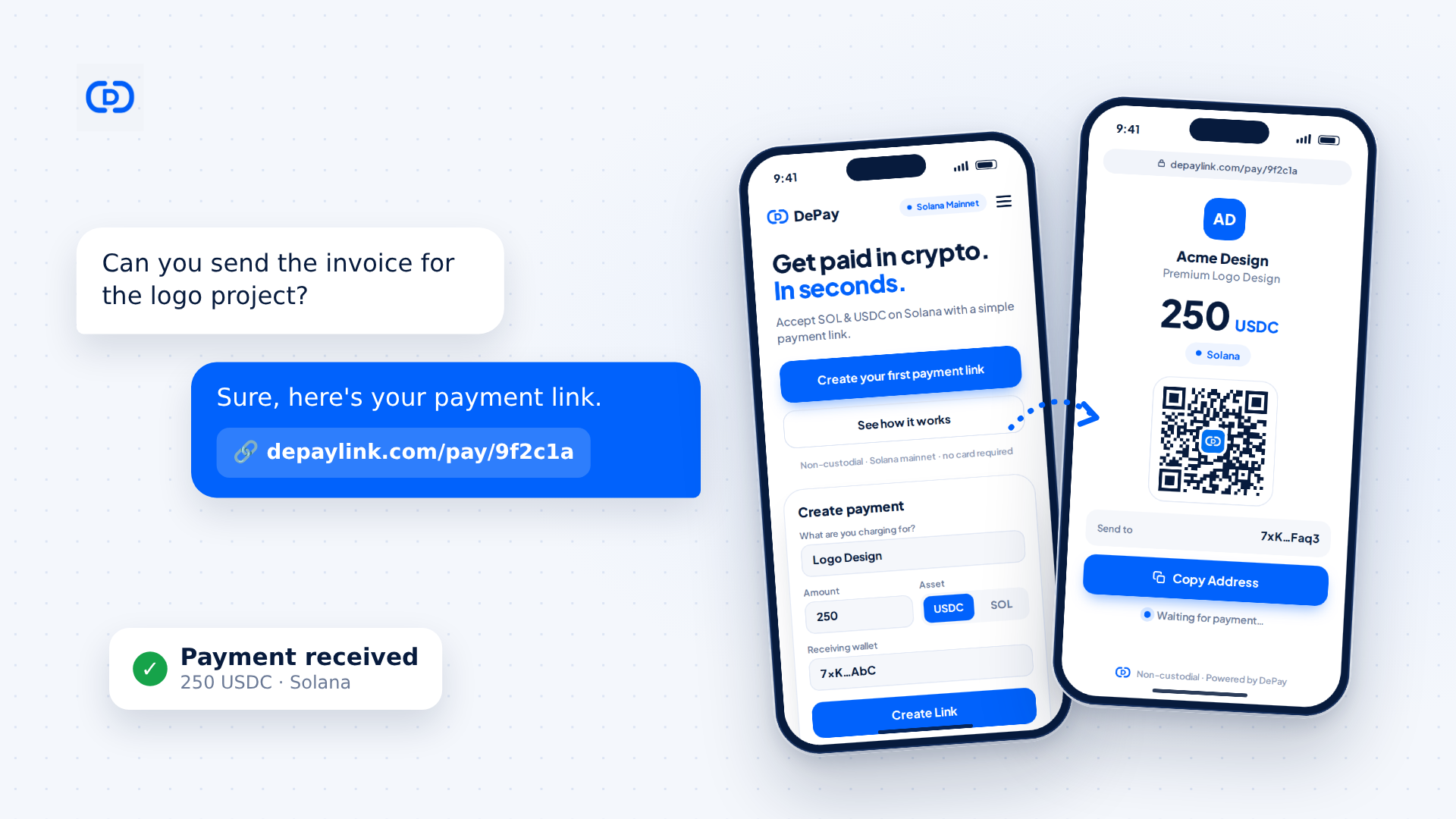
You can generate a link with any payment-link tool that supports the asset and network you chose. With depaylink, the create form is short: it asks what you're charging for, the amount, the asset (USDC or SOL) and your receiving wallet, and then you press Create Link.
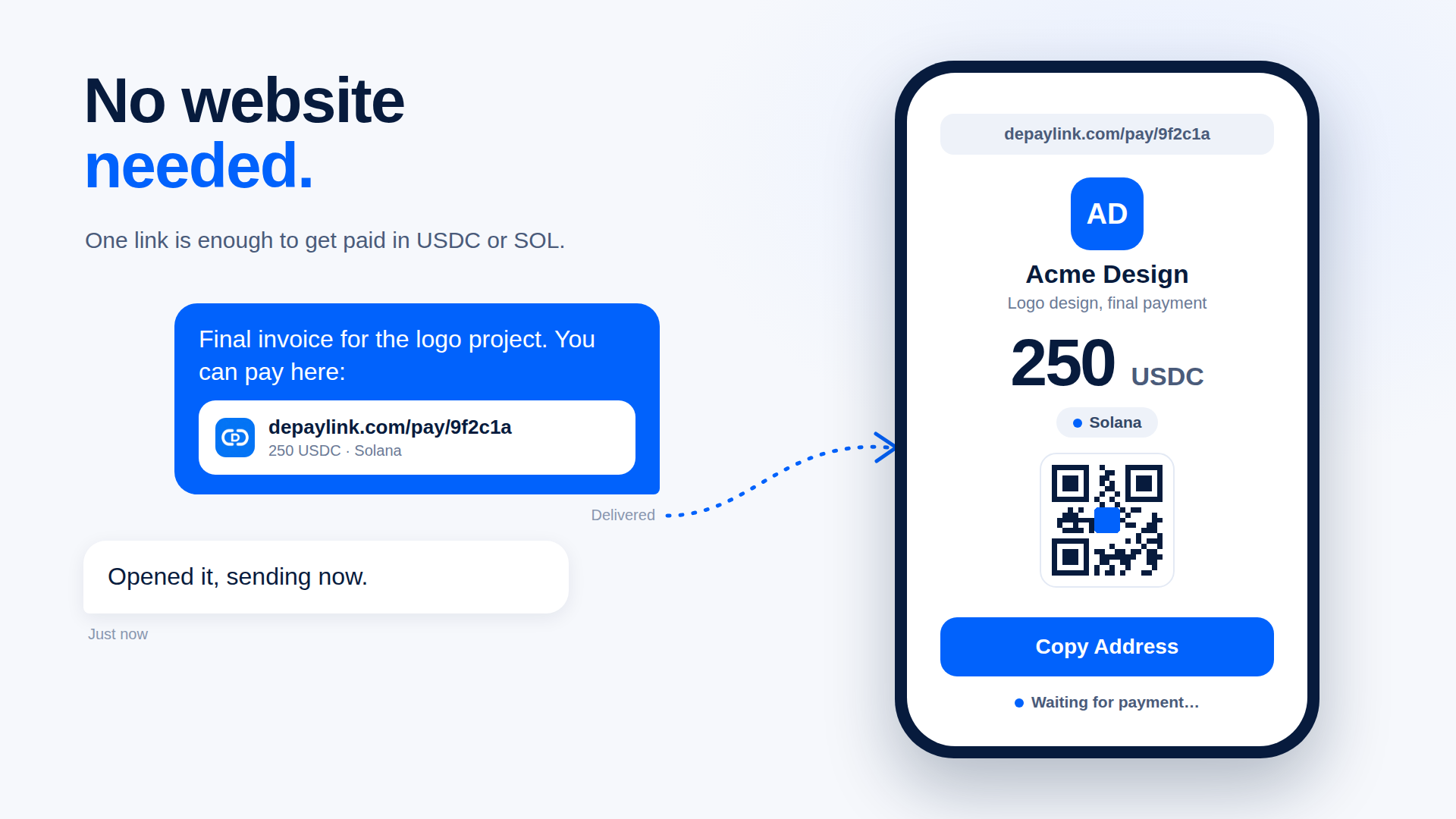
The result is a shareable URL that looks like depaylink.com/pay/…. Opening it shows your customer a payment page with your business name, the amount, the asset, the network (Solana), a QR code and the address to pay. They can scan the QR code or copy the address and pay from their own wallet app. The customer isn't asked to connect a wallet to the page.
Step 5: Share the link
A payment link works anywhere you can paste a URL:
Direct message or email: "Here's the payment link for the logo project." An invoice or PDF: paste the link, or add the QR code. A project management tool or client portal. In person: show the QR code on your phone or print it.
If you're using QR codes, depaylink lets you download them as PNG or SVG, which is useful for invoices and printed material.
One practical tip: repeat the asset and amount in your message ("250 USDC on Solana"). It costs you five words and removes most "which token do I send?" questions.
Step 6: Confirm you were paid
Don't rely on a screenshot from the customer. Confirm on-chain.
On the payment page, the status moves from waiting to paid once the payment is detected. In depaylink's dashboard, each link shows a status such as Paid or Pending. To double-check independently, open your wallet or a Solana block explorer and verify three things: the amount, the asset, and the receiving address.
Solana transactions usually confirm within seconds, so you'll typically know quickly.
Payment link vs. just sending your wallet address
You can ask a client to "send it to this address", and many people do. Here is why a link is usually better:
Sharing a bare wallet address Using a payment link Amount is specified No, the customer types it Yes, built into the request Asset and network are clear Only if you explain Shown on the payment page Looks professional Plain string of characters Branded page with your name Easy to scan Not unless you make a QR QR code included Status tracking You check the wallet manually Status shown per link
A bare address isn't wrong, but it leaves every detail to the customer, and that's where mistakes happen.
Common mistakes to avoid
Wrong network. Sending USDC on a different network than the one you expect can mean the funds don't arrive where you look for them. State the network every time. Mixing up SOL and USDC. They're different assets. A request for 250 USDC is not a request for 250 SOL. Typing the wallet address by hand. Always copy and paste. Reusing one link for different invoices. Create a link per job so you can match payments to projects. Forgetting about records. Keep a note of the date, amount, asset and transaction for each payment. Tax treatment of crypto income depends on where you live, so check with a qualified accountant. This guide is general information, not tax or legal advice. A worked example
Maya is a freelance illustrator. A client asks for the final invoice for a 250 USD logo project.
She decides on USDC, so the amount stays at 250. She copies her Solana wallet address and checks the first and last characters. She enters "Logo design, final invoice", 250, USDC and her wallet. She creates the link and sends it with one line: "250 USDC on Solana, link below." The client opens the page, scans the QR code with their wallet app and pays. Maya sees the link marked as paid and confirms the amount and asset in her wallet.
No custom checkout, no website and no back-and-forth about addresses.
Where depaylink fits
Everything above works with any wallet and any careful workflow. What depaylink does is remove the manual parts: the form turns your amount, asset and wallet into a payment page, the customer pays directly to your wallet, and the payment is checked on-chain so you don't have to hunt through transactions. If you'd rather build your own flow, the steps and mistakes above still apply.
FAQ
Do I need a website to use a crypto payment link? No. A payment link is a standalone URL. You can send it by message or email, put it in an invoice or share the QR code.
Can my customer pay from any wallet? They need a wallet that can send the asset you requested on the network you chose. For a Solana USDC request, that means a wallet that supports Solana and USDC.
What happens if the customer sends the wrong token or uses the wrong network? It depends on the case, and the funds may not arrive where you expect or may be hard to recover. That is why the asset and network should be stated clearly in the link and in your message. If it happens, check the transaction on a block explorer first and contact the wallet's or exchange's support if needed.
Is a crypto payment link the same as an invoice? Not exactly. An invoice is a document that lists what is owed. A payment link is the mechanism for paying it. Many people put the link inside their invoice.
How long does a payment take to arrive? Solana transactions usually confirm within seconds. Your customer's wallet or exchange may add its own steps.
Is it safe to share a payment link publicly? The link contains your public receiving address, which is designed to be shared. Never share your seed phrase or private keys, and be careful about posting a link for a specific invoice somewhere public.How to Accept Crypto Payments for Your Business