How to Invoice a Client in USDC on Solana
To invoice a client in USDC on Solana, send a normal invoice with the amount in USD, clearly state that payment is in USDC on the Solana network, and give the client one exact way to pay, ideally a payment link instead of a pasted wallet address. Then confirm the payment on-chain and record it like any other income.
This guide covers each step and the mistakes that cause lost or delayed payments.
Before you send anything
- A Solana wallet you control. Phantom, Solflare and Backpack all receive USDC on Solana. Only you should hold the recovery phrase.
- Agreement from the client. Confirm they can pay in USDC on Solana before work starts. Some clients hold USDC on another network such as Ethereum or Base and would need to move it first.
- Who pays network fees. Solana network fees are usually a fraction of a cent, but say in your terms that the invoice amount must arrive in full.
What to put on the invoice
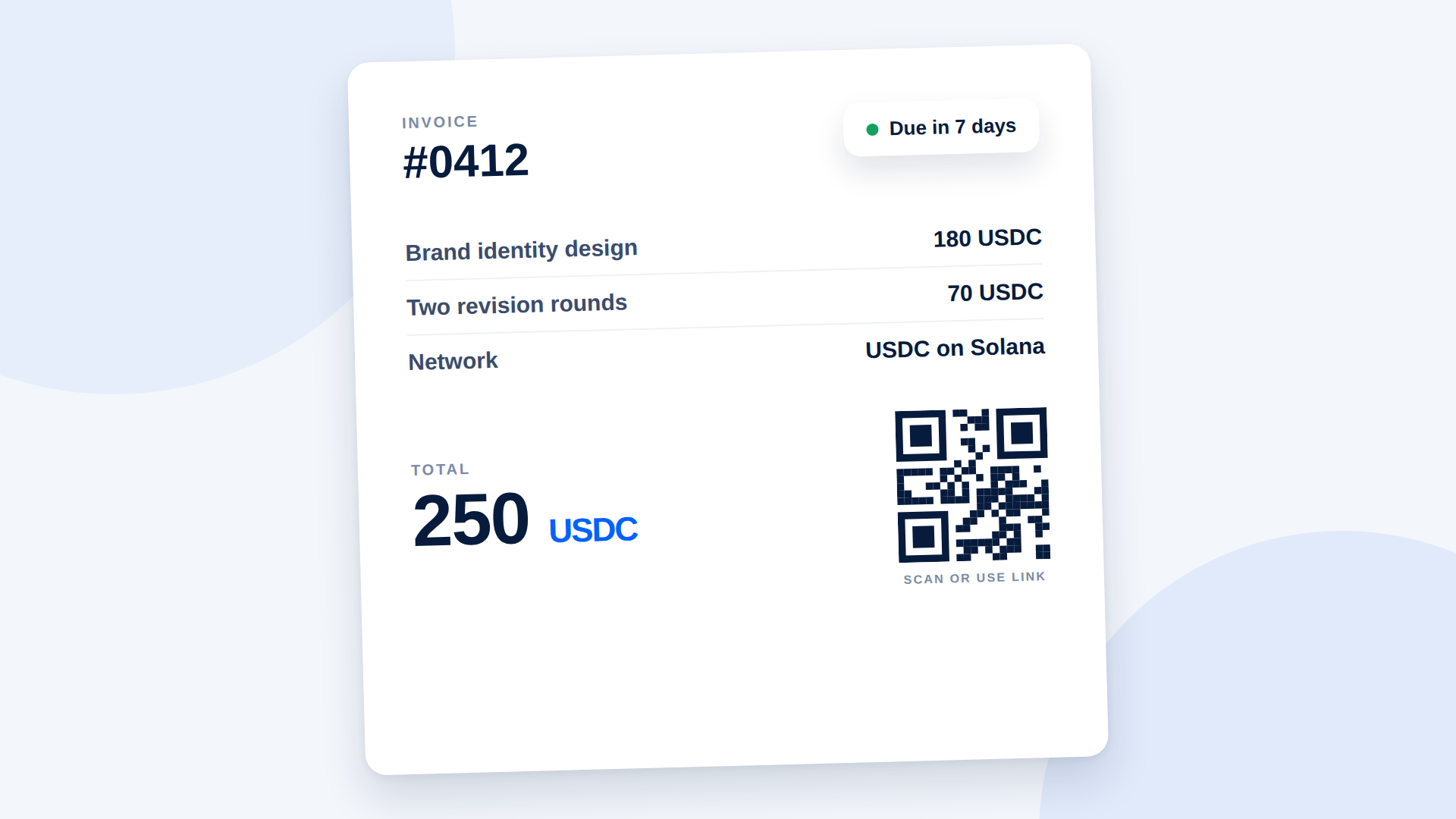
Use your usual invoice template and add a short payment section:
- Invoice number, date and due date
- Services and amount in USD (for example $1,200.00)
- Payment currency: USDC (Solana network only)
- Amount due in USDC (1 USDC is designed to equal 1 USD, so usually the same number)
- The payment link, or your wallet address if you must
- A line such as: "Please send only USDC on Solana. Payments sent on another network may be lost."
Use a payment link instead of a wallet address
A pasted wallet address leaves the client to choose the token, the network and the amount by hand. One wrong choice and the money can be delayed or lost. A payment link fixes all three in advance.
With DePayLink you create a link with a title (for example "Invoice #1042 — Logo design"), the amount and USDC as the currency, and choose the wallet it pays into. The client opens the link, sees exactly what they owe, and pays from their own wallet. The money goes straight to your wallet; DePayLink never holds it, and it takes no transaction fees.
Step by step
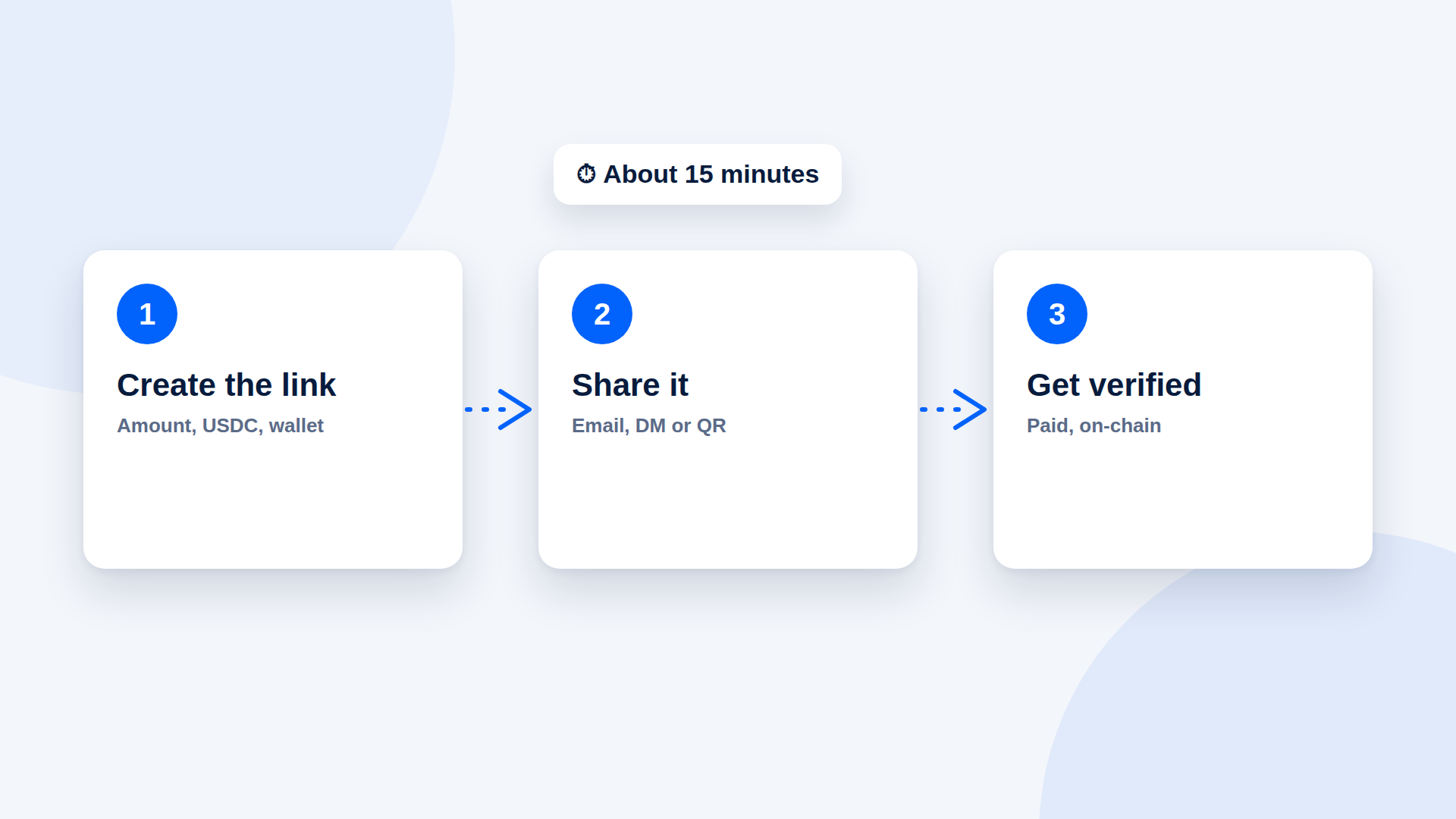
- Agree the price in USD and confirm the client will pay in USDC on Solana.
- Create a USDC payment link for the exact invoice amount, named after the invoice number.
- Paste the link into the invoice's payment section and send it as usual.
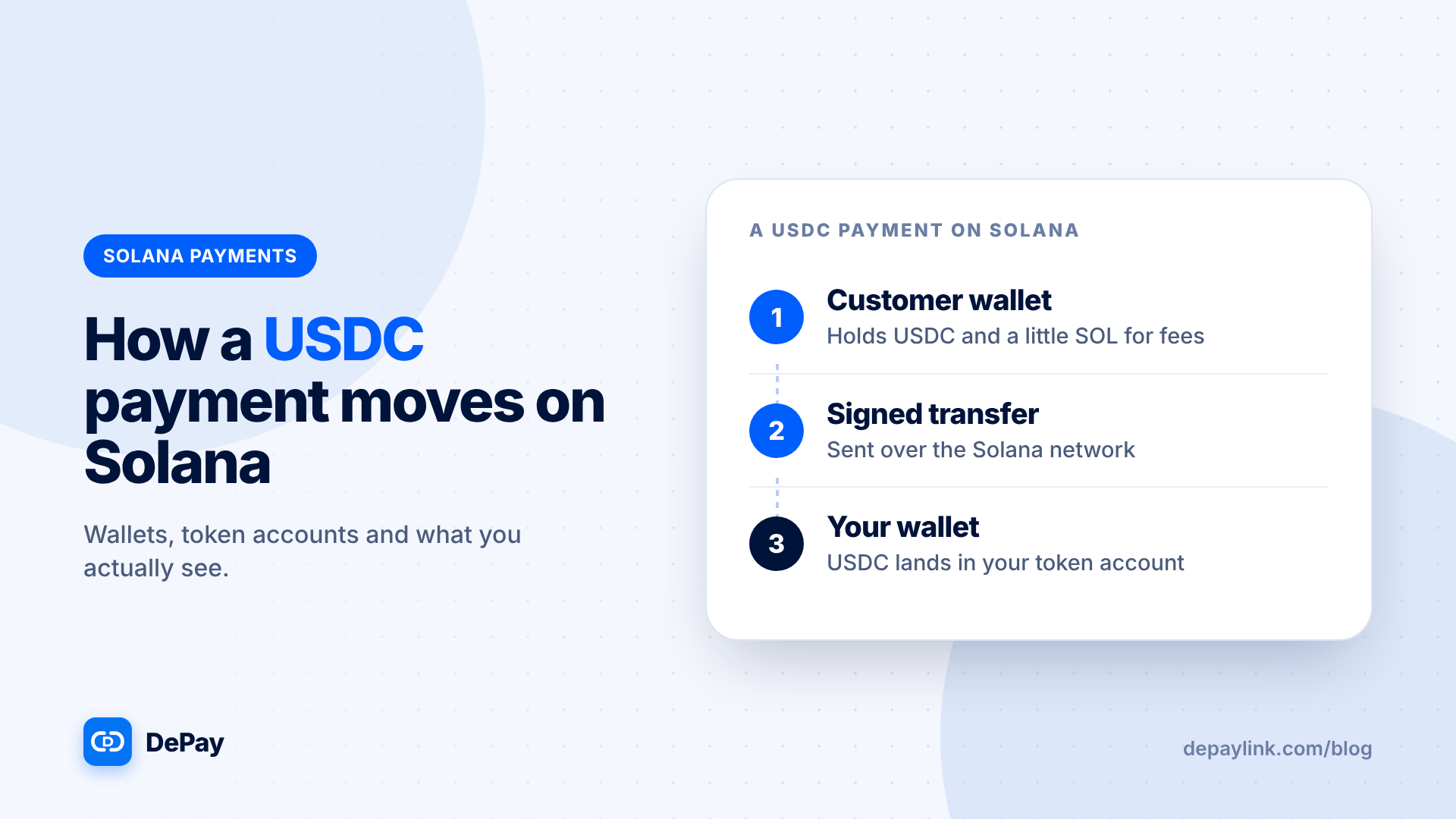
- Wait for the payment. DePayLink checks the Solana blockchain and marks the link paid once the right amount arrives.
- Open the transaction in a Solana explorer and save its link with the invoice.
- Mark the invoice paid in your accounting tool.
Confirming the payment
Never accept a screenshot as proof. Check that the transaction reached your address, that the token is USDC (not a look-alike token with a similar name), and that the amount matches the invoice. A payment link that verifies on-chain does these checks for you.
Recording it for taxes
Record the USD value on the date you were paid, the invoice number and the transaction link. Tax treatment of crypto income differs by country, so ask your accountant how to record stablecoin payments where you live.
Common mistakes
- No network named. "Pay in USDC" is not enough; always say Solana.
- Partial payments. If the client sends less, ask for the difference before marking the invoice paid.
- One address for every client. It works, but separate links per invoice make it clear which payment belongs to which job.
FAQ
Can a client pay a USDC invoice from an exchange?
Only if the exchange allows withdrawals of USDC on the Solana network. The client should choose Solana as the withdrawal network.
Do I need a business account or KYC to use DePayLink?
DePayLink is designed to be non-KYC: you sign up with an email and connect your own wallet. Your local legal and tax obligations still apply.
What if the client wants to pay in SOL instead?
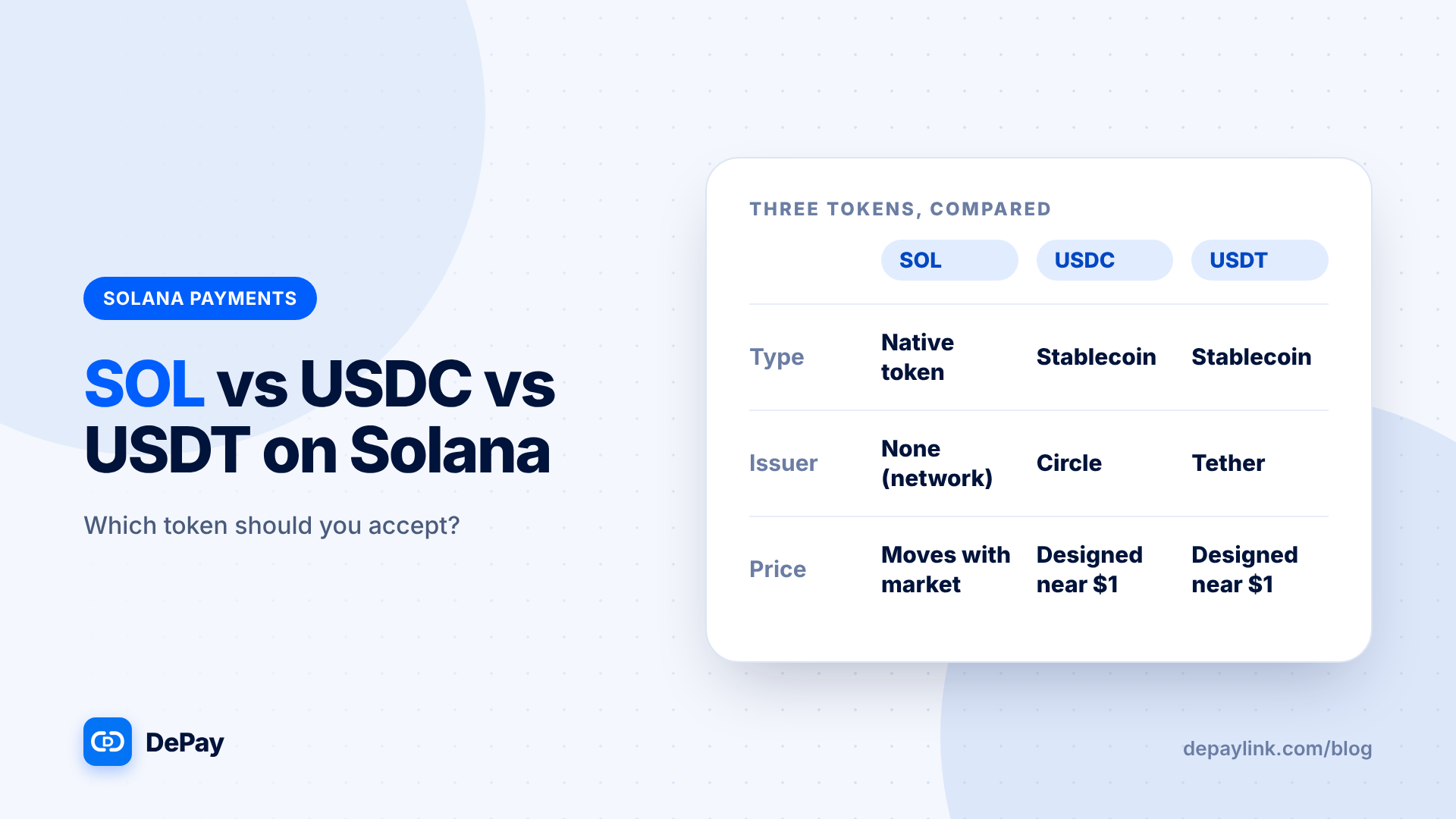
You can create a SOL payment link instead. Keep in mind that SOL's price moves, while USDC is designed to stay near $1.