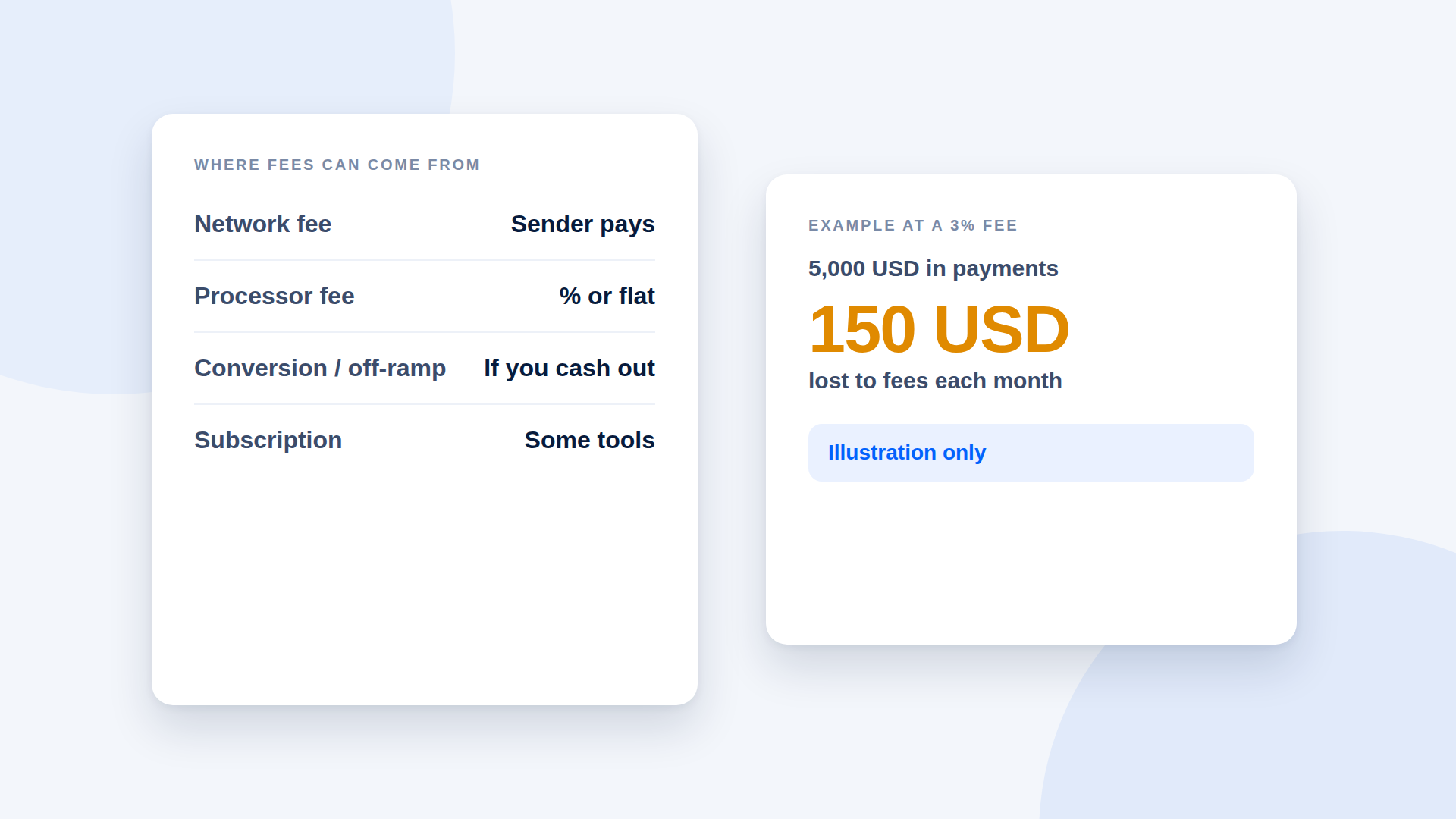
When you accept crypto, fees come from up to four places: the network fee on each transfer, the processor's fee, conversion costs if you cash out, and any subscription for the tool itself. Which of these you actually pay depends on the tool and how you use the money. Add them up at your own volume before you compare providers.
The four layers
1. Network fees
Every transfer on a blockchain costs a network fee, usually paid by the sender in the network's native token. On Solana that token is SOL. The fee is set by the network, not by your payment tool, and it changes with network conditions.
2. Processor fees
Some processors take a percentage of each payment, some charge a flat amount per transaction, and some charge a mix. Card processors typically charge a percentage plus a fixed amount per transaction; crypto processors vary more widely. Others, including some payment-link tools, take nothing per transaction and charge a subscription instead.
3. Conversion and withdrawal fees
If you turn crypto into local currency, an exchange or off-ramp service will charge fees or apply a spread to the exchange rate. This cost is separate from receiving the payment, but it belongs in your calculation if you plan to cash out.
4. Subscription and extras
Some tools charge monthly or annual plans, with extras such as analytics, custom branding or more links. Check what is included and whether the plan renews automatically.
A worked illustration
These numbers are an illustration of the arithmetic, not a claim about any provider.
Say you receive 5,000 USD in payments a month.
| Fee structure | Calculation | Monthly cost |
|---|---|---|
| 3% per payment | 5,000 × 0.03 | 150 USD |
| 1% per payment | 5,000 × 0.01 | 50 USD |
| Flat 15 USD subscription, no per-payment fee | 15 | 15 USD |
At lower volumes the ranking can change. A flat fee that is cheap at 5,000 USD a month may be poor value if you only take 200 USD. Run your own figures.
Questions to ask before signing up
- Is there a percentage, a flat fee or both?
- Who pays the network fee: you or the customer?
- What do you charge if I cash out through you?
- Are there minimums, setup fees or limits on payments?
- Does the plan renew automatically?
- What is free, and what do I lose if I downgrade?
Fee-saving habits
- Quote prices so the customer covers the network fee, or state clearly who pays it.
- Convert in fewer, larger batches if your off-ramp charges a fixed fee per withdrawal.
- Avoid paying for features you do not use.
Where depaylink fits
depaylink does not take a percentage of your payments: transaction fees from depaylink are 0%. Network fees may apply to each transfer. The Free plan includes 5 payment links a month at $0. Pro removes the link limit and adds extras, and is paid in USDC on Solana as a one-time purchase with no auto-renewal: $15 for 30 days, $49 for 150 days, or $119 for 365 days.
Frequently asked questions
Are crypto payments cheaper than card payments?
Sometimes, but it depends on the tool, your volume and whether you cash out. Compare actual costs at your numbers.
Who pays the Solana network fee?
The sender, in SOL, so a customer paying in USDC still needs a small amount of SOL.
Do payment links charge per transaction?
Some do and some do not. Check each tool's pricing.
Is there a fee to receive USDC?
Receiving is typically free in a wallet. Fees arise from the sender's network fee, any processor, and any cash-out.